The best forex trading app in the Philippines may be a small stack, not one all-purpose download.
One app can watch prices, another can analyse charts, and the broker’s own portal can handle identity checks and payments.
Separating those roles reduces rushed mobile orders and makes it easier to verify who controls each login.
Best Forex App Setup for Philippine Traders
| Routine | Mobile role | Other device | Default rule |
|---|---|---|---|
| Beginner | Alerts and demo | Desktop for order review | No live deposit during testing |
| Day job | Watch and reduce risk | Desktop for planned entries | No rushed meeting-time orders |
| Mobile only | Watch, chart and execute | External record backup | Small positions and strong security |
| Frequent travel | Monitoring and recovery | Backup device or browser | Pre-plan SIM and 2FA access |
This table does not recommend a broker. Live execution still requires separate checks of the provider, product and Philippine regulatory status.
Four Roles a Forex App Can Play
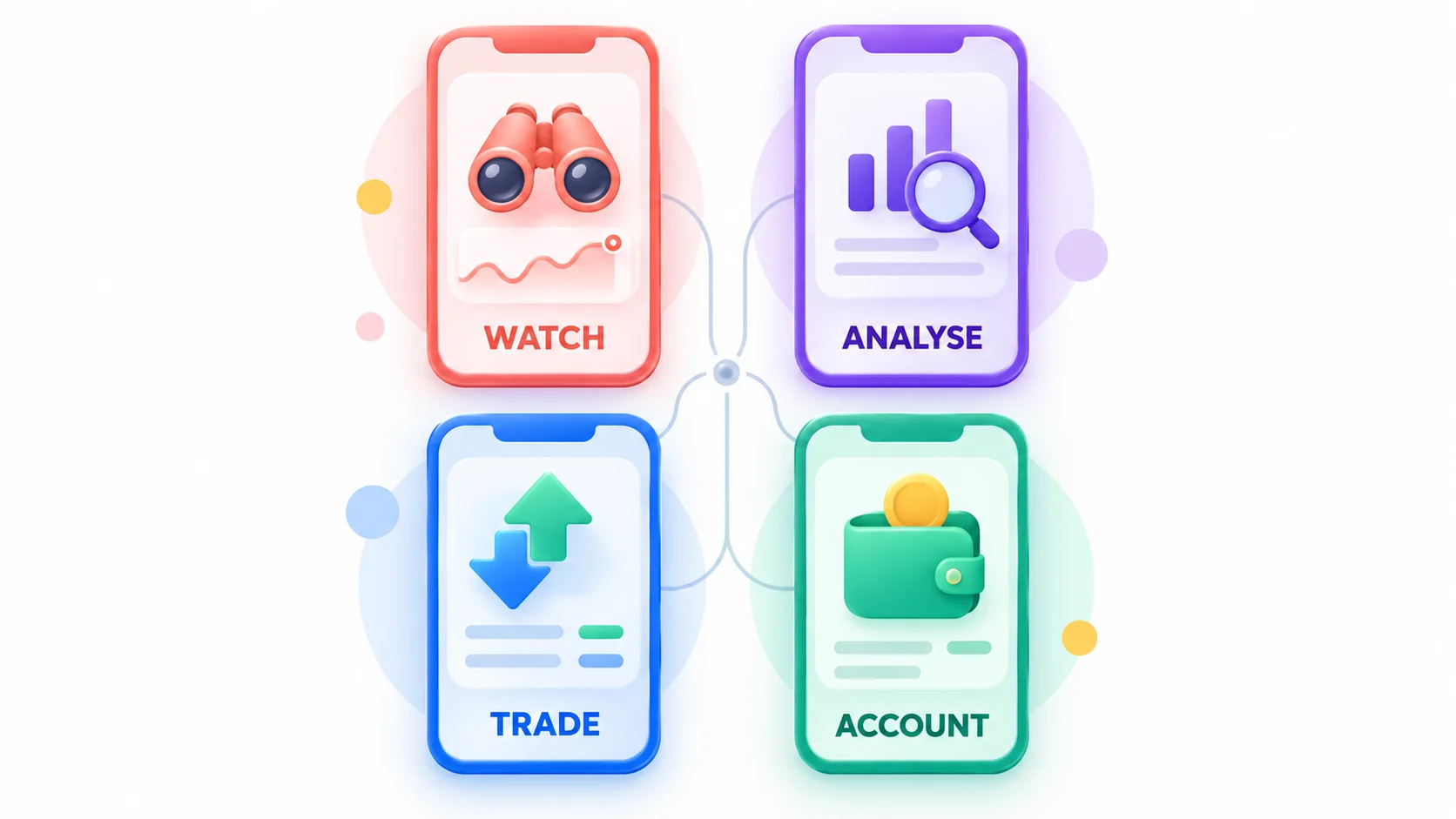
Market Watch and Alerts
A watch app should show the correct symbol source, alert condition and timestamp. Alerts are prompts to review, not automatic trade signals.
Set separate alerts for planned entries and risk levels. Disable promotional push notifications that imitate urgent market events.
Chart Analysis
Mobile charts work for focused review with a small indicator set. Complex multi-chart analysis is easier on a larger screen.
Check whether layouts, drawings and watchlists sync. Confirm that the chart feed matches the symbol used for execution.
Trade Execution
The execution app must make volume, order type, stop loss and final status easy to verify on a small screen.
Use demo to test interruptions, screen rotation and reconnection. Keep one-click trading off until the default volume is understood.
Account and Payment Management
The broker app or portal may store KYC documents, deposits, withdrawals and support messages.
This role carries more identity risk than a chart-only app. Verify the domain, developer and contracting entity before logging in.
Comparing MetaTrader, cTrader, TradingView and Broker Apps
MetaTrader Mobile
MetaTrader mobile can connect to many broker servers for quotes, charts, demo trades, live orders and history.
MetaQuotes develops the software and does not operate each broker server. The selected server remains central to the account.
cTrader Mobile
cTrader Mobile supports manual charting and trading across linked broker accounts under a cTrader ID.
The official Android guide lists Android 10, 2 GB memory and 92.2 MB free space as minimums when checked.
TradingView Mobile
TradingView is strong for watchlists, cloud alerts and chart analysis. It also offers paper trading and selected broker connections.
The broker still processes connected live orders. The Philippine App Store listing uses permanent Apple ID 1205990992.
Proprietary Broker Apps
A proprietary app can combine trading, payments and support. That convenience also concentrates account and identity access.
Check the legal entity inside the app, not only the icon. Store availability is not Philippine investment authorisation.
Choosing a Forex App for the Phone and Connection
Android Storage, Updates and Background Limits
Check the current Android requirement and free space on the store page. Leave room for updates and cached chart data.
Battery optimisation can delay alerts. Test background notifications without exempting unknown apps from security controls.
iPhone Compatibility and Biometric Login
App requirements can rise. For example, the Philippine TradingView listing required iOS 17 when checked on 15 September 2026.
Biometrics protect local access but do not replace the account password, two-factor authentication or recovery codes.
Mobile Data, Wi-Fi Changes and Reconnection
Test the app while moving between Wi-Fi and mobile data. Reopen the position and order screens after every connection change.
A spinning button is not a confirmed order. Read the server history before trying the same action again.
A 15-Minute Safety Check Before the First Login
Start From the Official Root Domain
Type or verify the company’s root domain, open its download page and follow the store link. Avoid links in comments and direct messages.
Match the Developer and Permanent Store ID
Compare app name, developer, linked domain, package name or Apple ID. Screenshots and star ratings can be copied by a clone.
Review Permissions and Active Sessions
Deny contacts, microphone, accessibility or device-management access unless the feature has a clear need.
After login, review active sessions and alerts. Remove devices that are unknown or no longer controlled.
Three Mobile Trading Routines
Alerts on Mobile, Orders on Desktop
The phone detects a price condition. The trader then checks context, size and stop on the desktop before placing an order.
This routine suits traders who can wait. An alert that arrives too late is skipped, not chased.
Mobile-Only Position Monitoring
Use the app to check existing positions and reduce risk under prewritten rules. Avoid unplanned entries on a small screen.
Capture the order ID after any change and confirm it in history. Keep an alternate support route outside the app.
Travel and Device-Change Recovery
Carry recovery codes separately and keep the registered email reachable. Know whether 2FA depends on the old SIM.
Before replacing a phone, sign out, remove trusted-device status and confirm that the new device can receive security notices.
Payment Buttons Inside Forex Apps
Why a Visible GCash or Maya Button Is Not Enough
A button proves technical availability in that session. It does not prove Philippine authorisation or a guaranteed withdrawal route.
Name Matching, Currency Conversion and Withdrawal Return Paths
Use an account in the trader’s own name. Record the PHP amount, credited currency, rate, fee and payment processor.
Ask where deposited funds and profits will return. Do not assume the same button supports both directions.
Fake App and Account-Takeover Response
Signs of a Cloned Forex App
Stop if the developer, package ID or linked domain differs, or if the app demands an APK, screen sharing or an unlocking payment.
What to Do After Entering Credentials
Use a clean device to change the broker and email passwords. Revoke sessions, reset 2FA and contact official support.
Notify the payment provider if money moved. Preserve the fake listing, messages, domain, receipts and device timeline.
Forex App FAQs in the Philippines
Can a forex app be used without depositing money?
Yes, when it offers charts, paper trading or a demo server. This is the safer way to test the interface and phone behaviour.
Is an app safe because it appears in the Philippine store?
No. Store review and availability do not establish that an investment provider is authorised to solicit Philippine residents.
Should biometrics replace two-factor authentication?
No. Biometrics control the device session. Two-factor authentication protects the remote account and should remain enabled.
Best Forex Trading Apps in the Philippines Summary
The best forex trading app in the Philippines is the one assigned to a clear role inside a secure routine.
Use mobile alerts and charts for awareness, an execution app for controlled orders, and a verified portal for account tasks.
Match the developer and permanent ID, test reconnection, retain external records and never treat store presence as regulatory approval.
Leave a Reply