A forex trading platform in the Philippines is only one part of the trading setup. It can display prices and send orders, but it does not hold the broker’s licence.
Choose the software by the job it must perform: analysis, execution, account administration or automation.
Then test that job on the actual broker server before trusting a familiar platform name.
A Forex Trading Platform Is One Layer of the Trading Setup
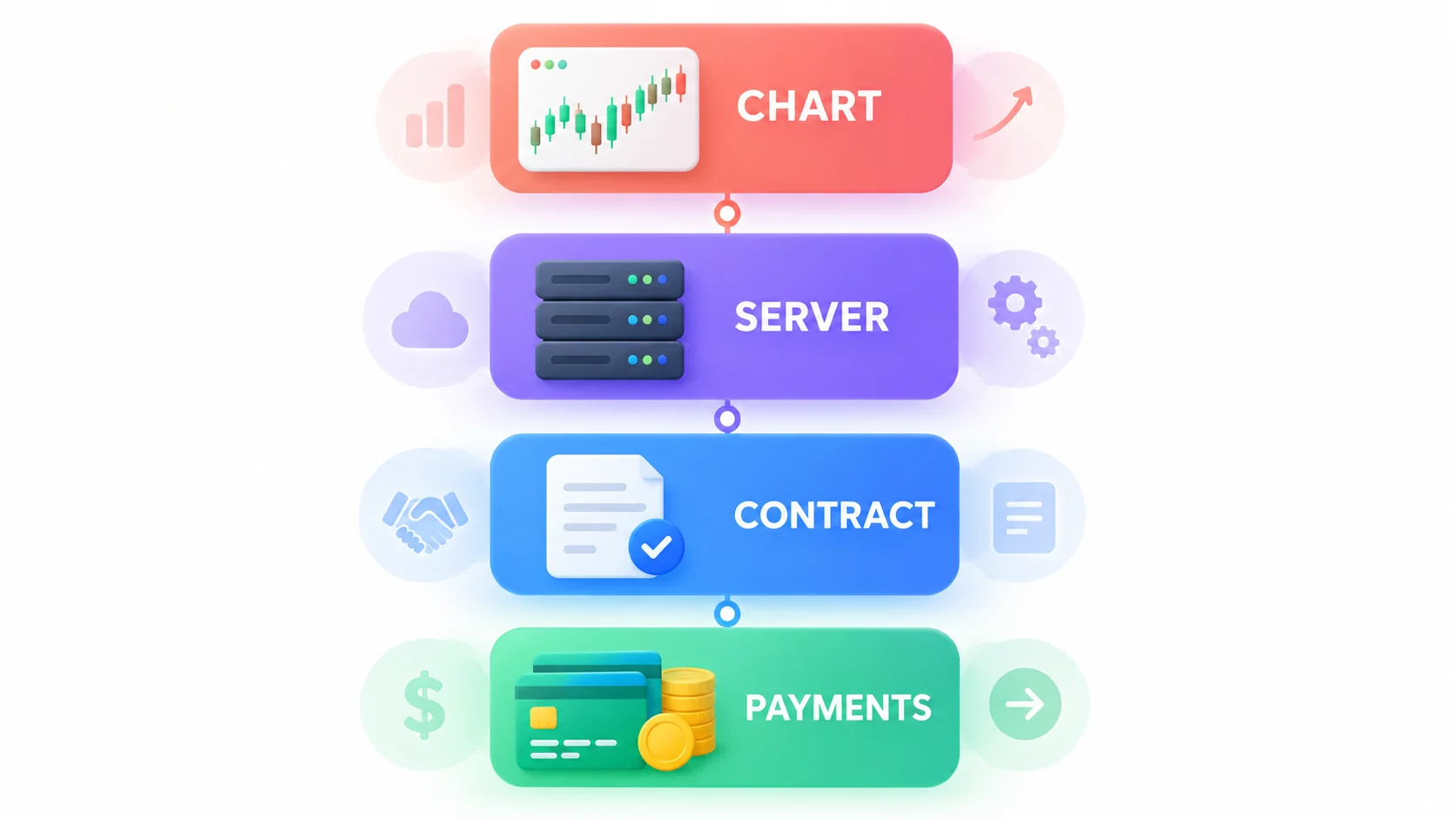
Platform, Broker Server and Contracting Entity
The platform draws charts and creates order requests. The broker server supplies symbols, prices, account rules and execution responses.
The contracting entity holds the customer agreement. It decides the governing law, complaint route and the terms for the account.
A fourth layer handles deposits and withdrawals. None of these layers should be treated as proof that the others are safe.
Why the Same Platform Can Behave Differently Across Brokers
Two MT5 installations can have different symbols, spreads, contract sizes, margin levels and trading hours.
The broker configures its server and product catalogue. A platform comparison must therefore use the same broker account that would be used live.
Choosing a Platform by the Job It Must Do
Chart Analysis
Compare timeframes, indicator availability, drawing tools, layout sync and the source of price data.
A good charting workspace should preserve templates and make Philippine Time easy to interpret. It need not be the execution screen.
Order Entry and Position Management
Check the volume unit, stop distance, pending-order types, confirmation flow and the way margin is shown.
The order ticket should expose errors clearly. A beautiful chart does not compensate for ambiguous lots or hidden server messages.
Account Funding and Support
Funding, identity checks and support often live in a broker portal rather than MT4, MT5, cTrader or TradingView.
Keep portal credentials separate. Verify the entity and domain before uploading an ID or selecting a Philippine payment method.
Automation and Backtesting
Automation requires a supported language, compatible files, historical data, logs and a reliable execution environment.
A backtest is a model, not a live result. Test spreads, commissions, delays and symbol settings that resemble the intended broker server.
MT4, MT5, cTrader and TradingView as Working Environments
MetaTrader 4 for Existing EA Workflows
MT4 remains relevant when a trader already depends on an MQL4 Expert Advisor, custom indicator or established operating process.
Do not select it only because it is familiar. Confirm that the broker still supports the required server, build and files.
MetaTrader 5 for Multi-Asset Tools and Testing
MT5 provides an MQL5 environment and a multi-currency Strategy Tester with local, remote and cloud agents.
The official testing guide also explains delays, tick modes and forward testing. Data still comes from the selected server.
cTrader for Order Control and Cloud Workflows
cTrader combines charting and order control with cBots. Its current cloud execution can run cBots independently of the user’s device.
The cTrader cloud guide distinguishes cloud cBots from local indicators and plugins.
TradingView for Charting and Connected Brokers
TradingView is useful for browser-based chart layouts, alerts and paper trading. Orders require a supported broker connection.
TradingView states that it acts as the interface and does not process broker trades. A chart symbol may also differ from the broker’s tradable symbol.
Moving Between Desktop, Web and Mobile
What Belongs on the Desktop
Use desktop software for detailed chart review, code, backtests, multiple windows and exporting large histories.
Keep installation files and strategy backups outside the application folder. Test updates before a live session.
What Works Well in a Browser
A browser is useful on a shared work pattern because it needs less local setup and can restore cloud layouts.
Never save trading passwords on a public or employer-controlled computer. Sign out and review active sessions after access.
What the Phone Should and Should Not Handle
A phone works well for alerts, position checks and emergency risk reduction. It is poor for long terms, coding and deep statement review.
Avoid opening a large new position on unstable mobile data. Confirm the final server response after any reconnection.
Testing the Order Ticket Before Choosing a Forex Platform
Position Size, Stop Loss and Take Profit
On demo, enter the smallest volume and read the contract specification. Check whether stops use price, points or cash estimates.
Move the stop and confirm the risk changes as expected. Do not rely on colour alone to distinguish loss from profit.
Pending Orders and One-Click Trading
Place and cancel each pending-order type needed by the strategy. Verify expiry, minimum distance and partial-fill behaviour.
Leave one-click trading disabled until volume defaults and confirmation settings are understood.
Reconnection, History and Error Messages
Switch Wi-Fi off during a demo order test, restore the connection and check whether the final status is clear.
Confirm that fills, cancellations and server errors appear in history or a journal that can be exported.
Automation, Data Portability and Lock-In
EA and Bot Compatibility
MQL4, MQL5 and cTrader cBots are different environments. Source code, compiled files and external dependencies may not transfer.
Document the platform version, symbol mapping, parameters and server timezone for every automated strategy.
Exporting History and Preserving Records
Export trade history regularly in a readable format. Retain order IDs, timestamps, prices, fees and account currency.
Cloud sync is convenient but not a records policy. Keep independent copies needed for disputes and Philippine tax work.
What Happens When the Broker Changes Its Platform
Ask how open positions, order IDs, history and automated tools will move if a server closes or the broker changes software.
A portable process keeps records and decision rules outside the platform, even when the exact code cannot migrate.
A 30-Minute Demo Scorecard for Philippine Traders
| Minutes | Test | Pass condition |
|---|---|---|
| 0–5 | Login and server | Account and server names match the broker record |
| 5–10 | Chart and PHT | Price source and timezone can be identified |
| 10–15 | Order ticket | Volume, stop and margin are understandable |
| 15–20 | Pending order | Create, edit and cancel status is clear |
| 20–25 | Connection change | Final order state survives reconnection |
| 25–30 | History export | Orders, fills, fees and timestamps can be saved |
Fail the platform for the intended routine if any critical order state is ambiguous. Repeat the test after a major update.
Platform Download and Login Security
Verify the Publisher and Permanent App ID
Begin at the official root domain or app-store publisher page. Compare the developer, package or store ID and linked privacy policy.
Do not install an APK, profile or remote-access tool sent through a private chat.
Treat the Broker Server Name as Account Information
The server name routes the login to a specific broker environment. A correct account number on the wrong server will fail.
Store the exact server name with the entity and support domain. Never post a live account number in a public forum.
Forex Trading Platform FAQs in the Philippines
Is MT5 automatically safer than MT4?
No. Software generation does not prove the broker entity, product, payment route or Philippine authorisation.
Can TradingView replace a forex broker?
No. It can provide charts, paper trading and a connected interface, but the broker processes live orders and holds the account.
Which platform is best for a low-spec laptop?
Test a browser workspace and a lightweight desktop installation with the intended chart count. Stable execution matters more than feature count.
Forex Trading Platforms in the Philippines Summary
Choose a forex trading platform in the Philippines by task and server behaviour, not by name alone.
MT4 fits established MQL4 workflows. MT5 expands testing, cTrader adds cloud cBot options and TradingView offers flexible charting.
None replaces broker checks. Verify the contracting entity, Philippine status, payment route and actual order ticket before live use.
Leave a Reply