A VT Markets login can fail because the user has chosen the wrong doorway, credential or trading server.
Philippines regulatory warning (checked 29 September 2026): The Philippine SEC lists a VT Markets advisory dated 7 January 2026. We could not verify a later lifting or change from the accessible SEC record. These login steps are for existing users securing access and records; they are not a recommendation to start or resume trading or to deposit.
The Client Portal, MT4, MT5 and the mobile app do not always use the same password or account identifier.
This guide is for existing customers recovering access. It does not recommend a new account, deposit or trade in the Philippines.
Choose the Correct VT Markets Login First
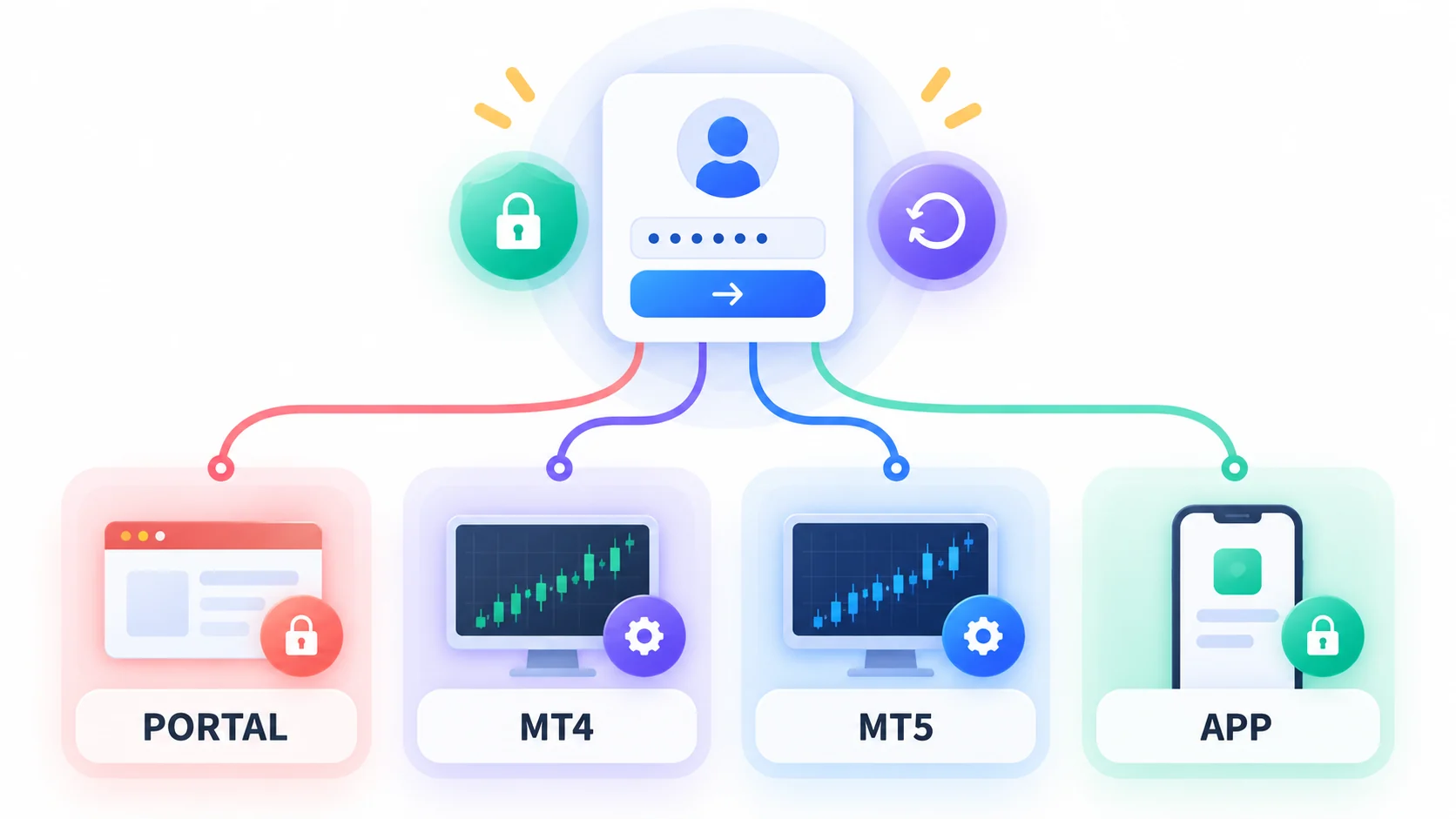
Client Portal Credentials
The portal handles profile, security, accounts and withdrawal records. It uses a registered email or phone and portal password.
Its password is not automatically the MT4 or MT5 trading password. Resetting one may not change the other.
MT4 or MT5 Trading Credentials
A trading login normally requires the account number, master or investor password and exact broker server.
An investor password is read-only. It may connect successfully but cannot place or change orders.
Mobile App Access
The VT Markets app can add a device session around portal or account access. Biometrics may unlock only the local session.
If the official app is unavailable in the user’s store, use the verified web route. Do not install an APK or switch regions.
Use an Official Route Without Trusting a Search Ad
Start From the VT Markets Root Domain
Type www.vtmarkets.com and use its current Login link.
The route previously ended at myaccount.vtmarkets.com/login. Recheck it from the root because routes can change.
Check the Hostname Before Entering a Password
Read the entire hostname, certificate warning and page context. A copied logo or familiar language is not identity evidence.
Stop if the page asks for an email password, one-time code, authenticator secret or remote access.
Save the Page and Error Details
Before refreshing, save the URL, PHT timestamp, exact message, device, operating system and app version.
Mask the account number and email in screenshots shared outside formal support.
Fix a VT Markets Login by Symptom
Email or Password Is Rejected
Confirm portal versus trading login, keyboard language and stored-password age. Avoid repeated guesses that can trigger a lock.
Use Forgot password only on the verified portal and open the reset email on a trusted device.
Trading Account Number Works but the Server Is Wrong
Copy the exact MT4 or MT5 server from the portal or original account email. Do not choose the closest name.
Check whether the account is demo or live and whether it belongs to MT4 or MT5.
Two-Factor Code Does Not Arrive
Check phone time, authenticator entry, spam folders and the registered channel. Never ask another person to relay an OTP.
If the device was lost, use official support and expect identity verification before 2FA is changed.
The Account Is Archived, Disabled or Read-Only
A demo may have expired, a live account may be restricted, or the investor password may have been used.
Do not create a new account to bypass the message. Ask support for the status, reason, date and required next step in writing.
The Page Does Not Load From the Philippines
Capture the URL, DNS or browser error and time. Test one other normal connection without using a VPN to bypass restrictions.
Use the formal support route for account records or withdrawals. Technical access does not resolve the SEC context.
Recover Access Without Exposing the Account
Reset the Portal Password
The official help flow uses Forgot password and the registered email. A successful portal reset may restrict withdrawals for 24 hours.
Reset the Trading Password
Use the portal’s account settings for the specific trading account. Confirm whether the master or investor password is being changed.
Verify an Official Support Reply
Open support from the verified root or official Help Centre.
Real support should not need a password, OTP, authenticator QR, full card number or remote-control session.
After a Suspicious VT Markets Login Page
Change Credentials From a Clean Device
Change the email, portal and trading passwords from a trusted device. Use unique passwords and reset 2FA if exposed.
End Sessions and Protect the Email Account
Remove unknown sessions, check forwarding rules and confirm that recovery email and phone details were not changed.
Preserve Evidence of the Phishing Page
Save the full URL, ad or message source, screenshot, certificate warning and time. Do not revisit the page to collect more.
Login Records for a Withdrawal or Account Dispute
Screenshots and Timestamps
Capture the entire page or screen with PHT time, error and visible account context. Keep the original file.
Account Numbers, Ticket IDs and Transaction References
Link each login event to the relevant masked account, support ticket, withdrawal reference and payment record.
A Short Timeline for Support
List what worked, when it failed, what changed and what result is needed. One clean support timeline reduces repeated explanations.
Philippine Regulatory Context for Existing Users
The Philippine SEC published an advisory naming VT Markets parties and warning the public not to invest, trade or transact.
Login assistance helps existing users secure records and pursue account matters. It is not a recommendation to resume deposits or trading.
VT Markets Login FAQs
Is the Client Portal password the same as the MT4 or MT5 password?
Do not assume so. The portal and trading account have different roles and can require separate password resets.
Which VT Markets server should be selected?
Select the exact server shown for that account in the verified portal or original account email.
Can support ask for a password or one-time code?
No legitimate support process should require the password, OTP, authenticator secret or backup code.
VT Markets Login Summary
Start a VT Markets login recovery by choosing Client Portal, MT4, MT5 or mobile access.
Enter through the root domain, verify the hostname and reset only the failed credential.
Existing Philippine users should preserve evidence and use formal support without treating account access as approval to add funds.
Leave a Reply